Usage Bar
A rate limit is easiest to respect when it is always in view. usage-bar draws the 5-hour and 7-day windows as two small bars above the prompt, and changes their colour as you get close.
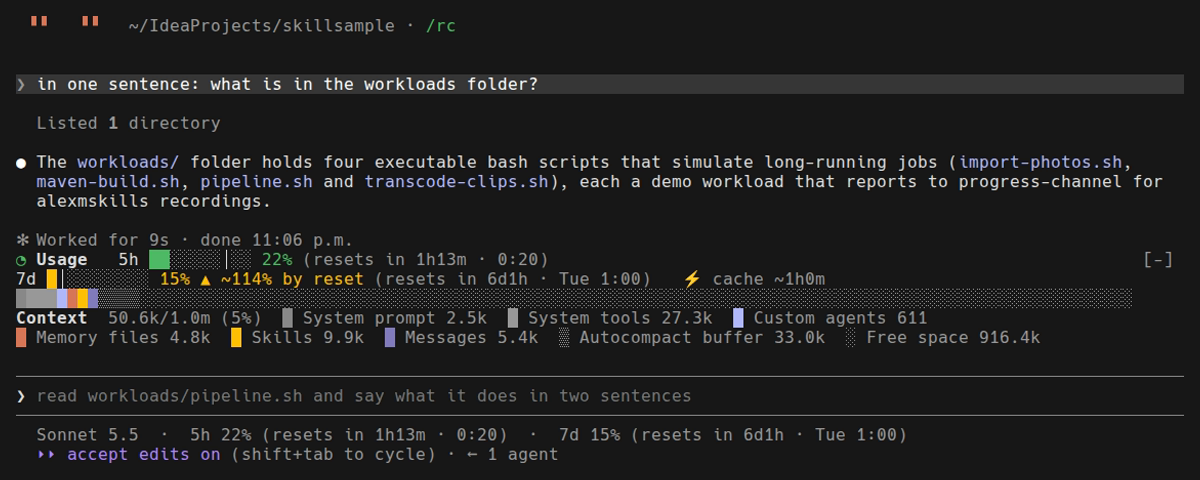
A real session, recorded. Both windows have plenty of room, so both are green.
It is a mod: code that draws inside Claude Code, with no skill and nothing for the model to read.
Install
/plugin install usage-bar@alexmskillsIt needs a Claude Code build that loads hooks modules; see Mods → Install.
Use it
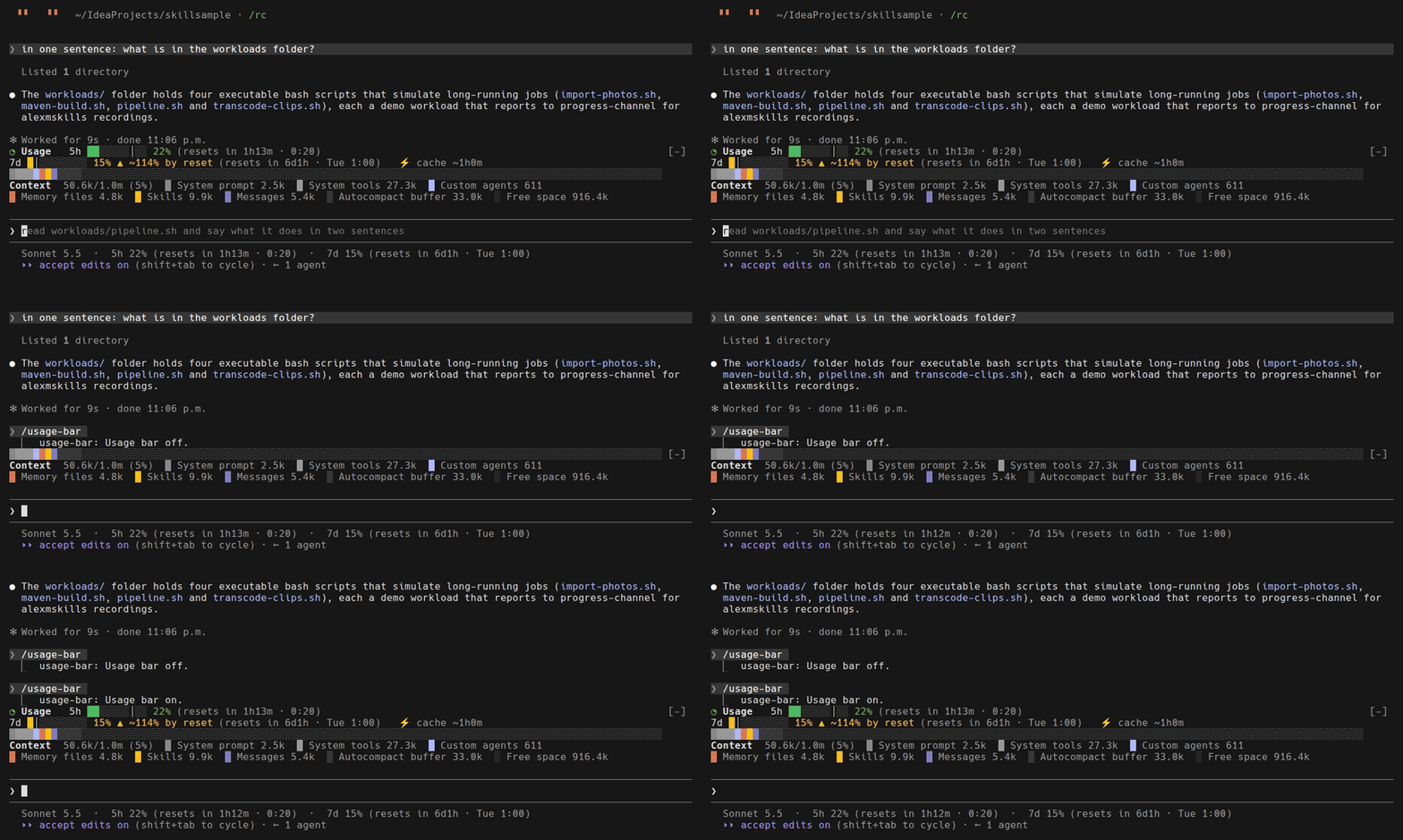
/usage-barThe command turns the bars off and on. They start on, and the command replies Usage bar off. or Usage bar on.
What it draws
◔ Usage 5h ███░░░│░░░ 34% (resets in 2h0m · 15:15) 7d ██│░░░░░░░ 30% ▲ ~136% by reset (resets in 5d11h · Mon 0:17) ⚡ cache ~42mThe row opens with a one-cell pie (○ ◔ ◑ ◕ ●) showing the fullest window, in its colour — the row’s state at a glance. Then, for each window, left to right:
-
a label —
5h,7d, orspendfor a gateway’s spend limit when the session reports one; -
a 10-cell bar. Any use at all fills one cell, so "a little" never looks like "none". One cell,
│, marks where the clock is — see Against the clock (0.4.0); -
percent used, in the bar’s colour;
-
time left and the reset time in your local time. A reset more than a day away also shows its weekday.
Colours
The bar and the percentage share one colour, which follows how much of the window is used:
| Used | Colour | Meaning |
|---|---|---|
below 70% |
green |
room to spare |
70% to 89% |
yellow |
getting close — worth pacing the rest of the window |
90% and up |
red |
nearly out |

The three states, drawn by the mod’s own functions at sample percentages. This one is a rendering, not a live session: a recording can only show the state the account is really in.
The percentage is coloured as well as the bar because near a limit the bar is almost full either way — the number is what still moves. The colours are theme colours, so each terminal theme supplies its own green, yellow and red.
Against the clock (0.4.0)
"62% used" means little alone. With one hour gone of five it means you will run out long before the reset; with four hours gone it means you are fine. Each window has a fixed length and reports when it resets, so the mod knows how much of it has passed, and reads your usage against that.
-
The
│in the bar is the clock. It sits at the share of the window that has elapsed. Fill to the left of it: you are behind the clock, with margin. Fill running past it: you are using faster than time is passing. -
▲ ~136% by resetappears when the window is on course to run out before it resets — your use at the reset if the rest of the window goes like the part so far. It is a straight-line projection, hence the~: a heavy morning followed by a quiet afternoon will pull it back. -
The colour never reads calmer than the pace. A window on course to run out is yellow at any fill, and red when the projection passes 150%.
-
Nothing is projected in the first tenth of a window. Two percent used after one percent elapsed is not "200% by reset".
A gateway’s spend limit has no fixed length, so it gets no clock mark and no projection.
Cache countdown (0.3.0)

Every request re-reads the conversation so far. While the prompt cache is warm that read is cheap; once it expires, the next prompt pays to write the whole context again. The cache is refreshed by each request and expires a fixed time after the last one — so the row ends with how long you can step away before the next prompt gets expensive.
| Shown | Meaning |
|---|---|
|
The model is answering; every request is refreshing the cache. |
|
About that long until it expires, counted from the last answer. |
|
The last 15% of the lifetime (at least a minute). A short reply now is cheaper than a long one later. |
|
Probably expired. The next prompt re-reads everything at full price — a good moment to |
The lifetime is an assumption, which is why every figure has a ~. The engine does not report the cache’s expiry. The mod uses the published defaults: an hour when the session has plan windows (a Claude subscription), five minutes otherwise (API billing). A session can be on a different one — a plan in overage drops to five minutes — and then the figure is wrong. Treat it as a reminder, not a meter.
From 0.4.0 the assumption is corrected from the session’s own traffic. Every turn reports how many tokens it wrote to the cache. A warm cache only takes the new part of the conversation; a cold one has to take all of it again. So after a pause of known length the mod compares what was written with how big the context already was:
-
far less written than the context held, after a pause longer than five minutes — the entry outlived the pause, so the lifetime is an hour;
-
about the whole context written again, after a pause shorter than an hour, on the same model and with no compaction in between — it did not, so the lifetime is five minutes.
Anything else proves nothing and changes nothing. Claude Code’s own switches are honoured first: DISABLE_PROMPT_CACHING removes the figure, FORCE_PROMPT_CACHING_5M and ENABLE_PROMPT_CACHING_1H set the starting lifetime.
/usage-bar cache hides or shows the figure, and its reply says which lifetime is in use and whether it was assumed or observed. The choice is remembered. The mod only reads the clock and the turn’s token counts — it never sends a request to keep the cache warm.
Icons
The pie and the │ are single-cell characters, so they never shift a bar. ⚡ is two cells wide and sits where nothing after it has to line up. All of them are plain text: they draw in any terminal whose font has them, and take the theme’s colours. Drawn (SVG) icons are not used — the terminal cannot draw them.
Reading the limits against the clock, and learning the cache lifetime from traffic, are ideas from augiefra/claude-mods (which credits HolyGrail’s usage-meter and Daniel San’s prompt-cache-control for them). The implementation here is independent.
When it updates
-
after the first API response of a session — before that there is no reading, and nothing is drawn;
-
after every turn;
-
every minute, because the countdown moves by the minute;
-
and when you switch it back on.
How it reads the numbers
It reads the rate-limit windows that the last API response reported. That read is free: it sends nothing. The figures are therefore as fresh as your last turn, plus a countdown that keeps ticking in between.
With other mods
The band above the prompt holds one tree, so usage-bar draws its row and then whatever the other mods there draw. With context-bar installed too, both appear:
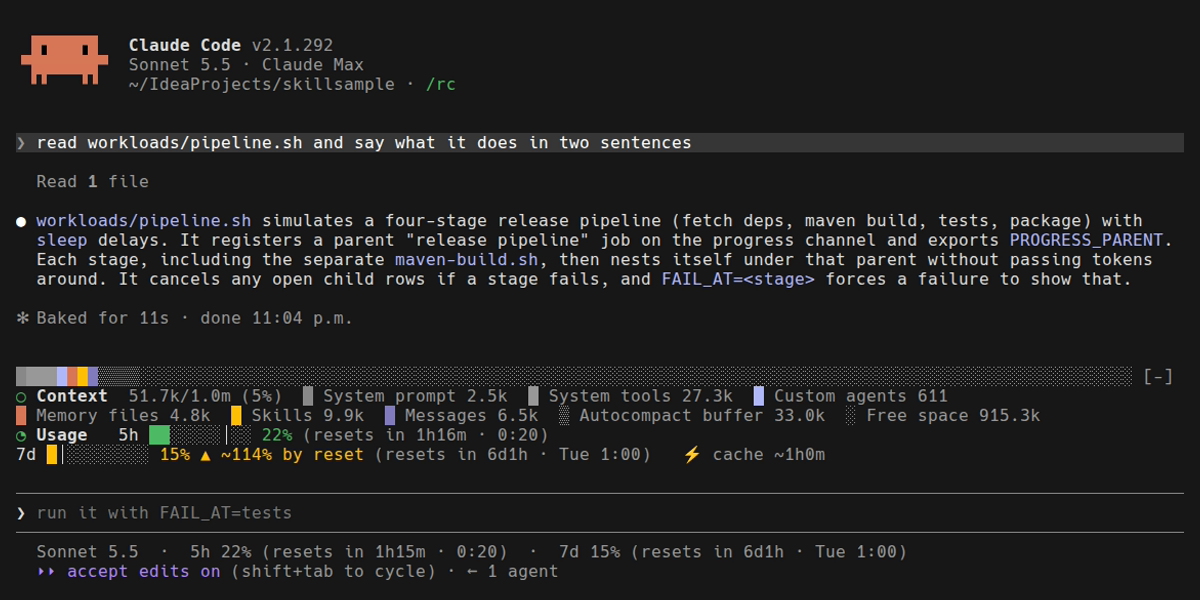
Version 0.2.0 returned only its own row and hid every other mod in the band. That is fixed in 0.2.1.
Check it
claude plugin validate plugins/usage-bar
claude plugin test plugins/usage-bar
The tests cover the countdown text, the bar width, and the colour thresholds — including the boundaries at exactly 70% and 90%.
Claude Code vs Codex
Claude Code only. A mod is written against Claude Code’s hooks-module API; Codex has no surface for it. See Mods → Claude Code vs Codex.